MySpendJournal Logo
Login

Private budgeting without automatic bank linking

Regain Financial Control with MySpendJournal

Track, import statements, manage recurring bills, view financial insights, and stay organized.

๐ŸŽŸ๏ธ Free Trial

Trust Commitment

Your Data. Your Budget. Your Control.

We Don't Use Bank Credentials

MySpendJournal does not require your bank username or password.

Your Data Is Private and Encrypted

Your financial information is handled with privacy and security in mind.

Safe Smart Secure Imports and Entries

You decide what to enter, upload, import, track, and manage.

Founder of MySpendJournal

Built by Marrien Bacon the creator of MySpendJournal

Know Where Your Money Is Going

I created MySpendJournal because budgeting should not be an overly manual process with spreadsheets and formulas. Today's budgeting tools are either too expensive, too complicated, or too invasive. These outcomes make it difficult to practice good budgeting and build meaningful savings.

MySpendJournal gives you a rewarding way to efficiently manage your bills and flexible spending, quickly import multiple transactions, and stay up to date on your overall progress. A great opportunity to understand your spending and improve healthy budgeting habits.

I built this so you can take control of your money.

Features

Powerful Features to Empower Your Finances

MySpendJournal helps you track transactions, import statements, monitor spending, manage recurring bills, connect calendar reminders, and protect your account.

๐Ÿ“Š

Analytics & Budget Insights

  • Analytics dashboard
  • Sort by month and year
  • Pre-built 50/30/20 rule budgeting chart with insights
  • Overall spending summary by month and year
  • Fixed bills and flexible spending expense breakdown by category
  • Set and monitor spending limits for select categories
โž•

Add Transactions

  • Add expenses and income
  • Set up recurring transactions
  • Attach invoices or receipts
  • Track due dates and dates paid
  • Organize transactions by type and category
๐Ÿ“„

Bank Statement Imports

  • Import bank statement PDF or CSV files
  • Quickly add multiple transactions
  • Auto-categorization with imports
  • Category learning capabilities
  • Import duplicate detection
  • Review imported transactions before submitting
๐Ÿงพ

Transaction Management

  • Date and status sorting
  • Grouping by category
  • Transaction card summary
  • Quick paid tracking
  • Export ledger CSV
  • See single and ledger-style views as needed
๐Ÿ“…

Calendar, Reminders & Alerts

  • Add transactions to calendar
  • Calendar reminders and alerts
  • Set email notifications
  • Sync Google Calendar
  • Export ICS files to import into a calendar
๐Ÿ”

Security

  • Enable multi-factor authentication
  • Private user accounts
  • No automatic bank credential access
  • User-controlled imports
  • Delete transactions and account anytime

Screenshots

See MySpendJournal In Action

Add your app screenshots to the screenshots folder and update the filenames below.

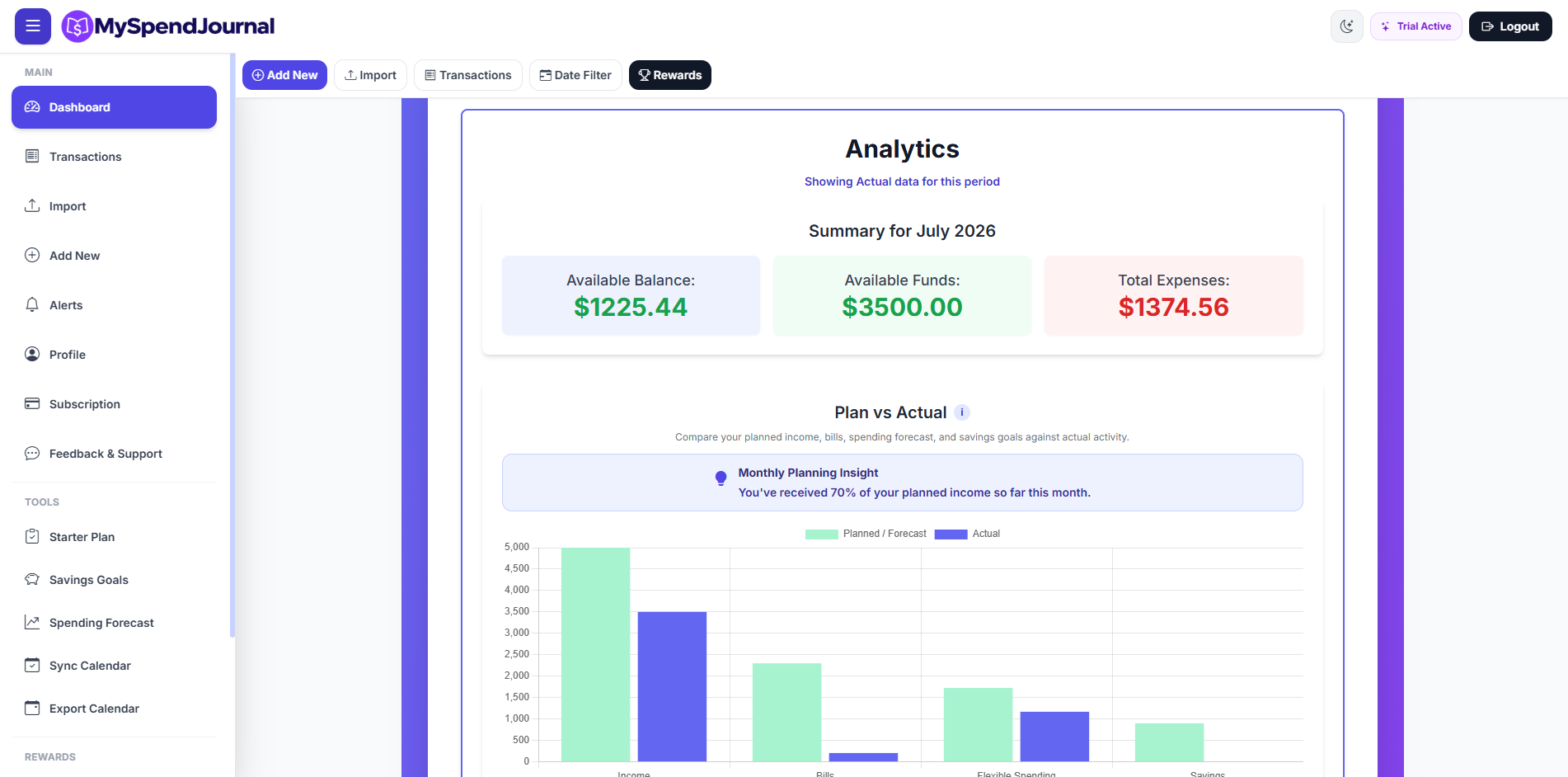
MySpendJournal Dashboard

Dashboard

View your financial summary and spending insights.

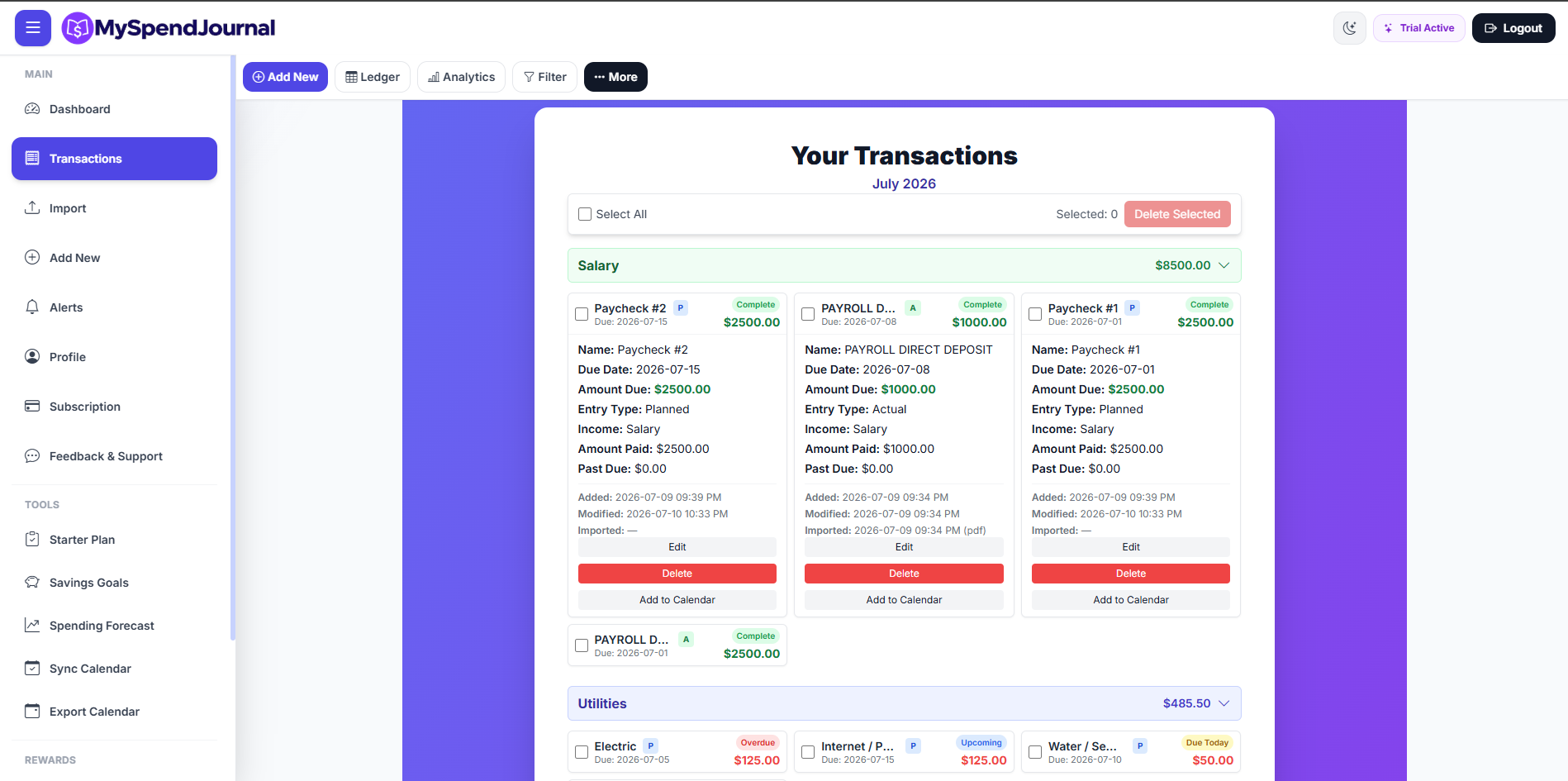
MySpendJournal Transactions

Transactions

Track expenses, income, bills, and payment progress.

MySpendJournal Ledger

Ledger

Review transactions in a clean ledger-style view.

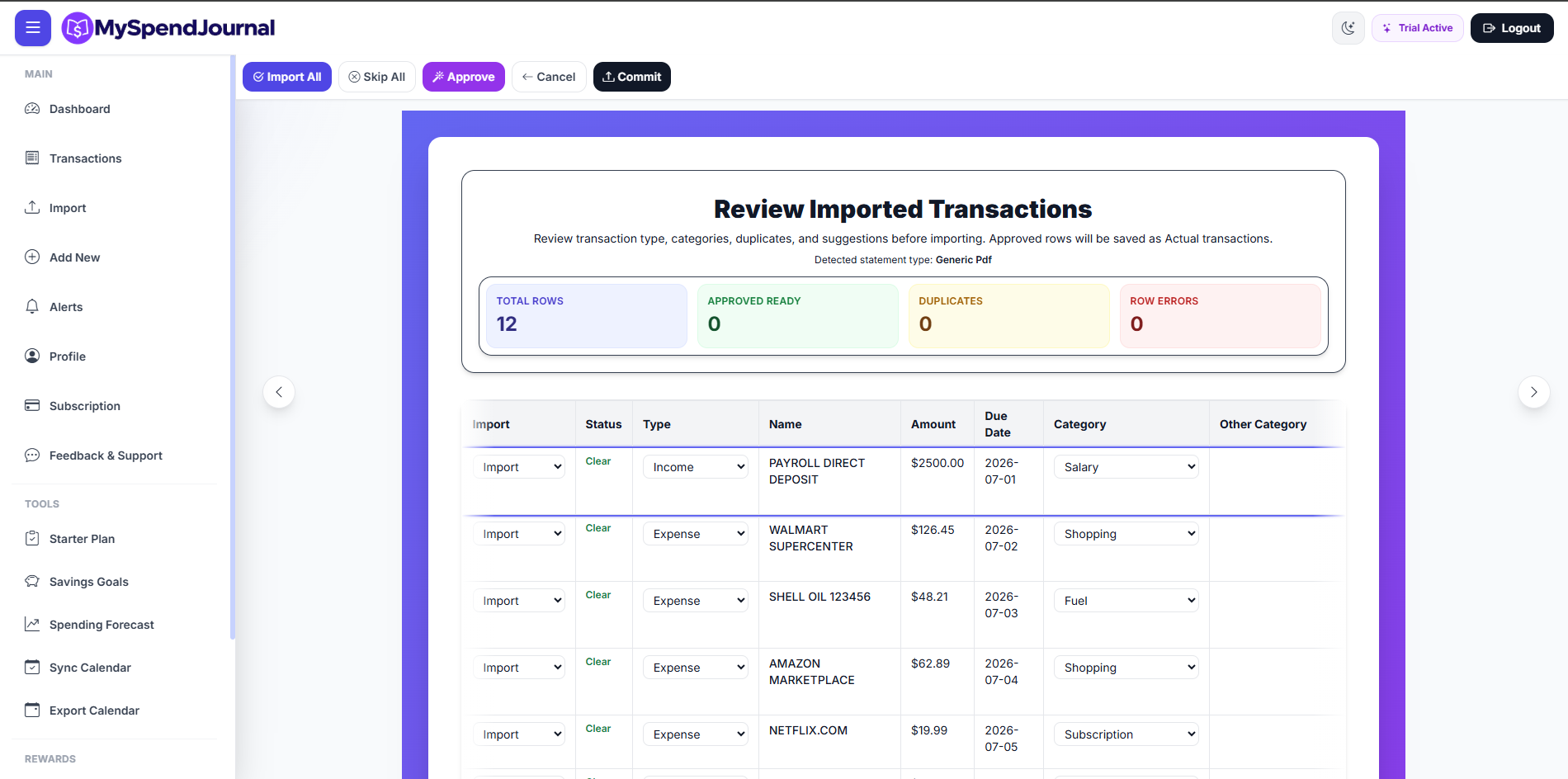
MySpendJournal Import Preview

Import Preview

Review imported rows before adding them to your account.

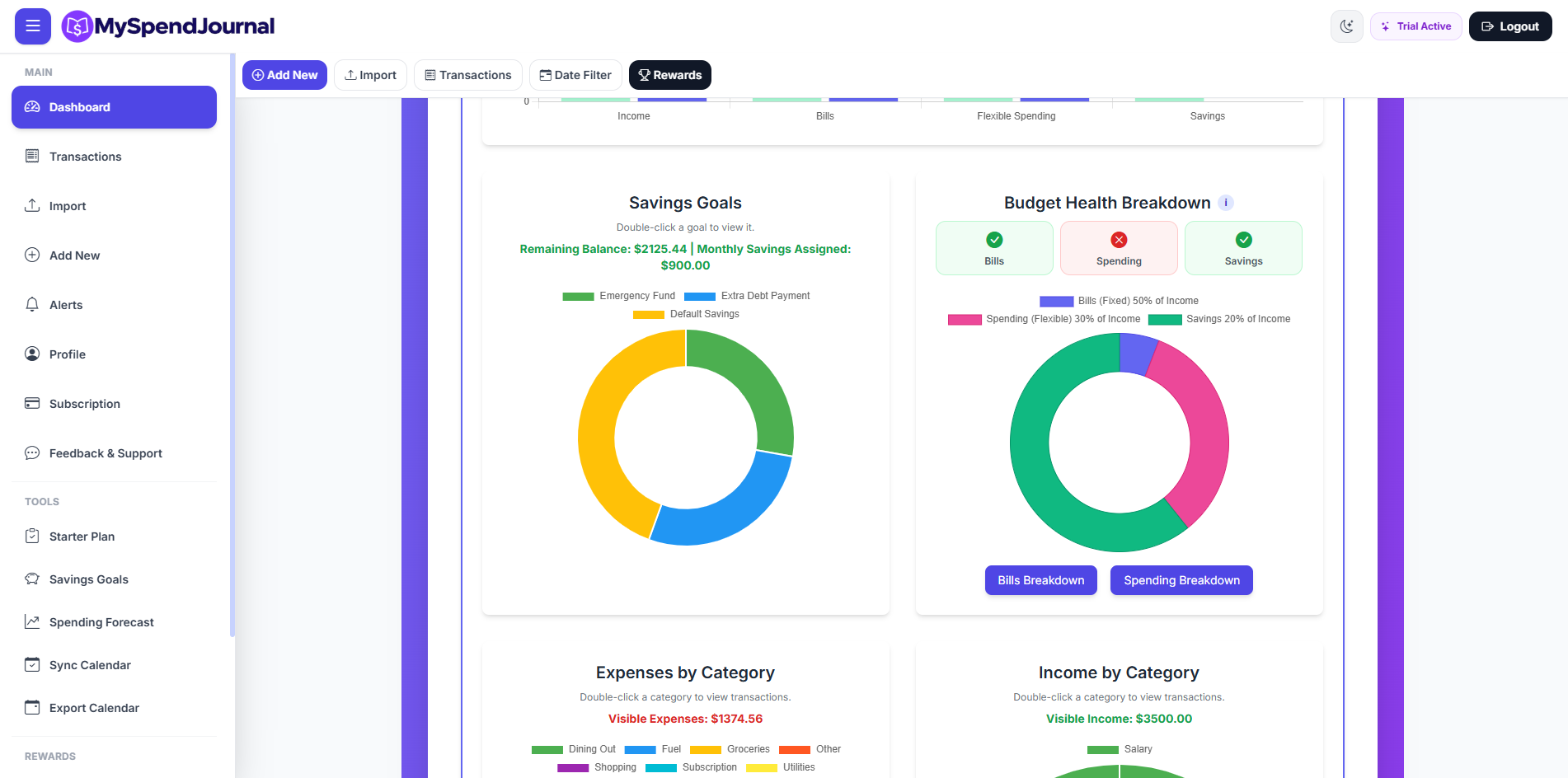
MySpendJournal Analytics

Analytics

Understand spending patterns by month, category, and budget type.

MySpendJournal Badges

Badges & Rewards

Build consistent money habits with rewards and progress badges.

Benefits

Why Choose MySpendJournal?

Reduce Financial Stress

Gain peace of mind knowing exactly where your money is going and what bills are coming up.

Save More, Spend Smarter

Identify unnecessary expenses and use spending insights to improve your habits.

Stay Organized

Keep bills, transactions, receipts, reminders, and imports in one place.

Use It on Web or Mobile

Access MySpendJournal from your computer, tablet, or phone.

Testimonials

What Early Users Are Saying

Used by early testers across the U.S.

โ€œI really appreciate how easy setup was; once you create a profile it's very quick to get started which is great for efficiency rather than more intensive processes like linking to a bank right away.โ€

Ashley H.

โ€œOverall, the charts are visually appealing and can easily notify the user if theyโ€™re over their budget, and see what categories are costing them financially.โ€

Eduardo O.

โ€œAmazing app! It made tracking my daily spending super easy and easy to sync across. Clean design, smooth performance, and very easy to use. Love MySpend Journal App.โ€

Manasa G.

App Links

Get MySpendJournal

Use MySpendJournal on the web, your phone, or download from supported app stores.

Soon Early Soon

Follow MySpendJournal

Soon Soon Soon Soon Soon

Ready to Take Control of Your Finances?

Start tracking transactions, importing statements, setting reminders, and understanding your spending today.

Create Your Account Install to Phone Like a Mobile App

Join Us

Get 30-Day Premium FREE

Be one of the first to experience MySpendJournal. See the app live, ask questions, and get full Premium access for 30 days โ€” no bank connection required.

Important for Android App Access

To install the Android app through Google Play closed testing, you must use the same email connected to your Google Play account. After signing up, we will add your email and send you the private install link.

Can be Gmail or another email, as long as it is your Google Play account.